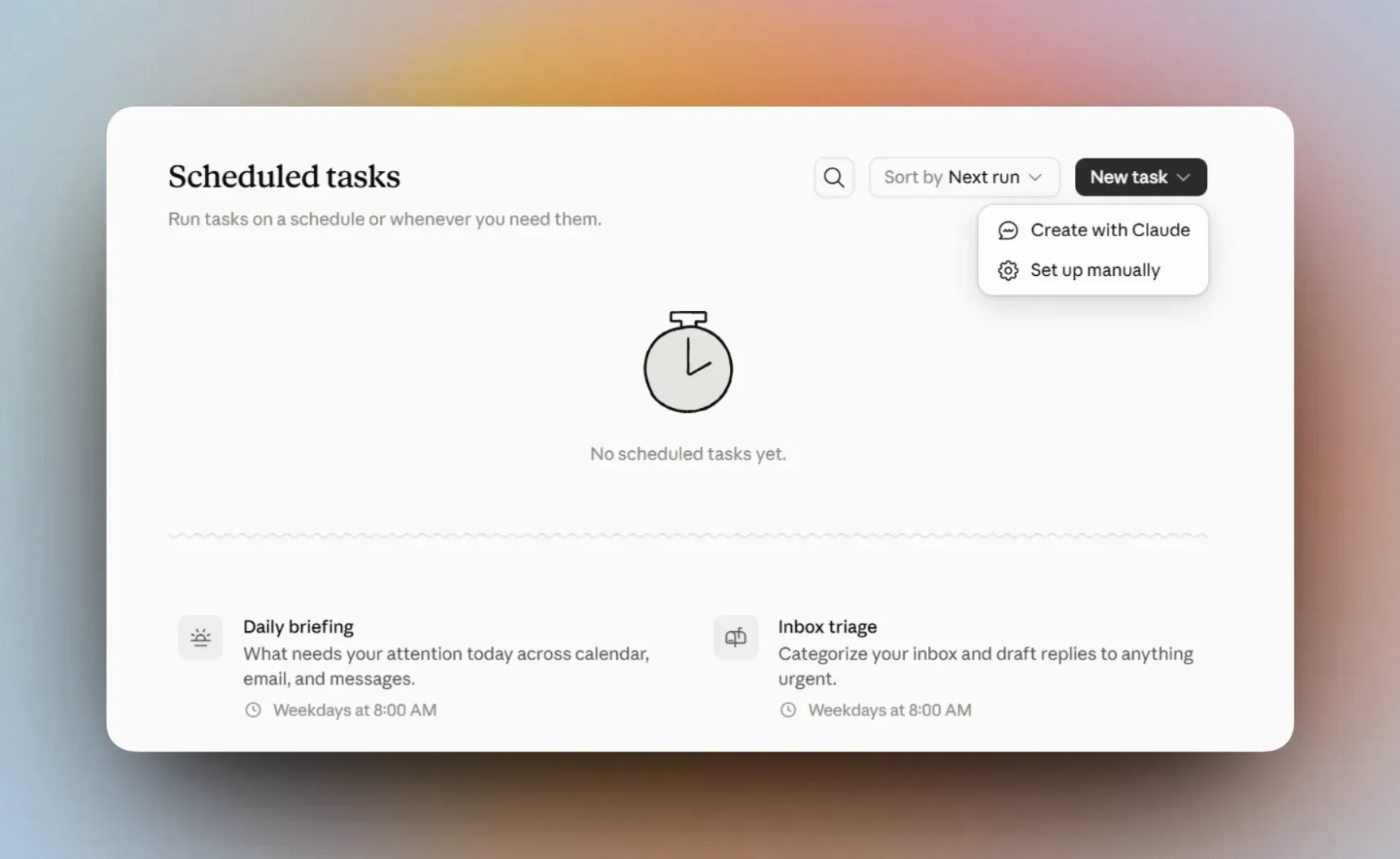
How scheduled tasks work
Recurring tasks in Claude Cowork let you describe the work once and set when Claude has to do it automatically. For example, Claude can prepare a summary of the important email every morning, build a project report once a week, or review the market news every month.
When you schedule a task you state:
- what Claude has to do;
- which sources of information to use;
- how often the task has to run;
- the format the result has to take;
- which actions it must not take.
A scheduled task can use the same Connectors, Skills and other Cowork tools as an ordinary task. So with Gmail and Google Calendar connected, for example, Claude can review the new information at a set time and prepare a summary of it.
How to schedule a task
- Open Claude Cowork.
- Select Scheduled in the left-hand menu.
- Press New task.
- Select Create with Claude to build the task in a conversation, or Set up manually to enter every setting yourself.
- Describe the task and select how often it has to run.
- Check the task instructions, the sources it uses and the approval mode for its actions.
- Press Schedule or Save.
You find the tasks you have made under Scheduled. There you can review earlier results, change the instructions or the frequency, run a task by hand, pause it or delete it.
What can you schedule in practice?
Below are a few simple use cases you can try immediately.
Sign in to read and copy this prompt.
Sign inNeeds the Gmail and Google Calendar connectors.
Sign in to read and copy this prompt.
Sign inReplace the project name and the list of tools with your own team’s.
Sign in to read and copy this prompt.
Sign inName your own market or topic in place of the square brackets.
Official sources
This guide follows Anthropic’s own documentation. It carries the newest and fullest version of everything below: