Claude is an artificial intelligence assistant built by Anthropic. You can chat with it, ask for explanations, draft text, summarise documents and analyse data. At work, this AI assistant can help you prepare for a meeting or draft a report from information you provide. Check its answers: it can make mistakes or invent facts.
What can Claude help you do at work?
Start with a specific task whose result you know how to assess. Explain who it is for, which information to use and what you want back. For example, ask for decisions and agreed actions from meeting notes. The examples below show where additional Claude features can help.
- Draft a report. Provide meeting notes and related documents, then ask for decisions, unanswered questions and next steps. Cowork can handle tasks with several steps, such as reading files and preparing a document. Read the Claude Cowork guide.
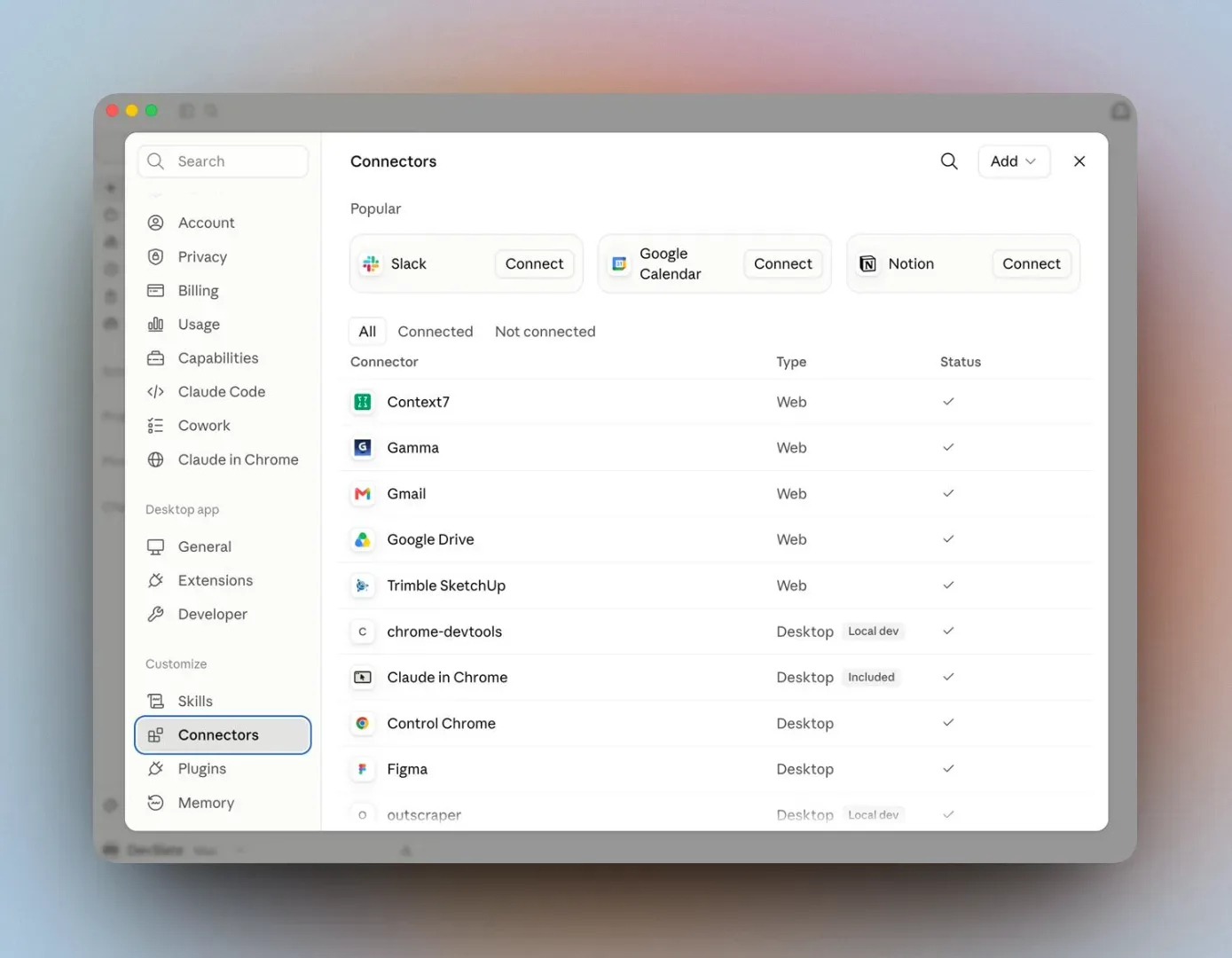
- Find a document before a meeting. With Google Drive connected through Connectors, you can ask Claude to find files and use their information. Review the permissions before connecting it. Follow the Claude Connectors guide.
- Draft proposals using your template. Skills let you provide reusable instructions and examples. Describe the proposal sections, preferred terms and what to do when information is missing. Start with the Claude Skills guide.
- Try a simple calculator. Describe the inputs and how the result should be calculated. Artifacts can present an interactive tool beside the conversation. Check its calculations against examples you already know. See the Claude Artifacts guide.
Cowork capabilities are gradually being brought into the main Claude conversation, so your account may no longer show a separate mode to choose.
Once you have tried a task and checked its result, consider running it regularly. For recurring work, see the Claude scheduled tasks guide. Scheduling is available on paid plans. Specify the sources, frequency and actions it must not take.
How does Claude differ from ChatGPT?
Anthropic builds Claude, while ChatGPT is an OpenAI product. Claude’s model selection includes names such as Sonnet and Opus. Available models depend on your plan and account settings. When moving from another assistant, you can transfer saved working preferences through memory import, but cannot import your full conversation history.
To compare them, give both tools the same task and the same documents without confidential information. Check whether important conditions remain, whether figures are correct and how much editing is needed. Separately assess the connections you need and the terms for using your data. Fluent writing alone does not establish accuracy.
Where can you use Claude?
In a browser, start at claude.ai. Claude Desktop is the computer application, and there are mobile apps for iOS and Android. Find them on the official download page. To bring Claude into a company application, developers can use the API to send tasks from your system and receive answers within it.
Claude Code is Anthropic’s tool for working with software code. It can help explain an existing application, change files and find errors. You can use it in the desktop application or in developers’ tools, for example. For an email draft or a document summary, start with an ordinary Claude conversation.
Frequently asked questions
Before choosing, review the official Claude plans and pricing and data handling terms for businesses.
Is it safe to share company data?
First agree what your company allows you to share. By default, Anthropic does not use Team, Enterprise or API inputs and outputs for model training; this can change if you explicitly agree to share data for this purpose. Personal accounts have separate privacy settings. Start with an example without confidential information and grant only the access needed for the task.
What does Claude cost?
There is a free plan with usage limits and there are paid plans. Check current prices, included features and usage limits on the official pricing page. Choose according to the work you need and your company’s data management requirements.
Where should I start?
Choose one document without confidential information. Ask for a summary, specifying its reader and structure. Then compare the answer with the original: are conditions missing or facts added? Assess the result before trying more documents, connections or scheduled tasks.
Read about WyrdIT’s artificial intelligence training, with a programme tailored to how your company works, its goals and daily tasks.
Official sources
This guide follows Anthropic’s own documentation. It carries the newest and fullest version of everything below: